
Find the right match
Narrow your search by folder, date or exact phrase. Get spelling suggestions from words in your documents.
English + Hindi keyword searchThat bill. That ticket. That one important detail.
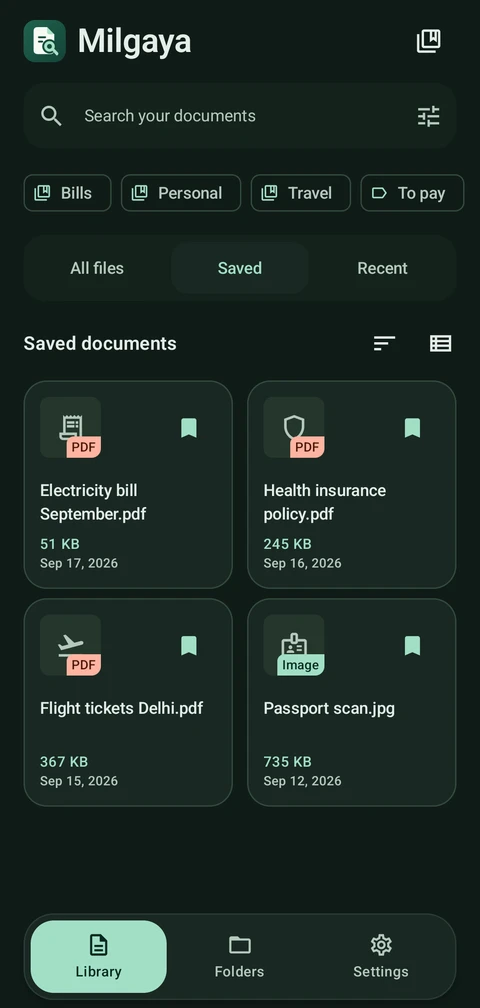
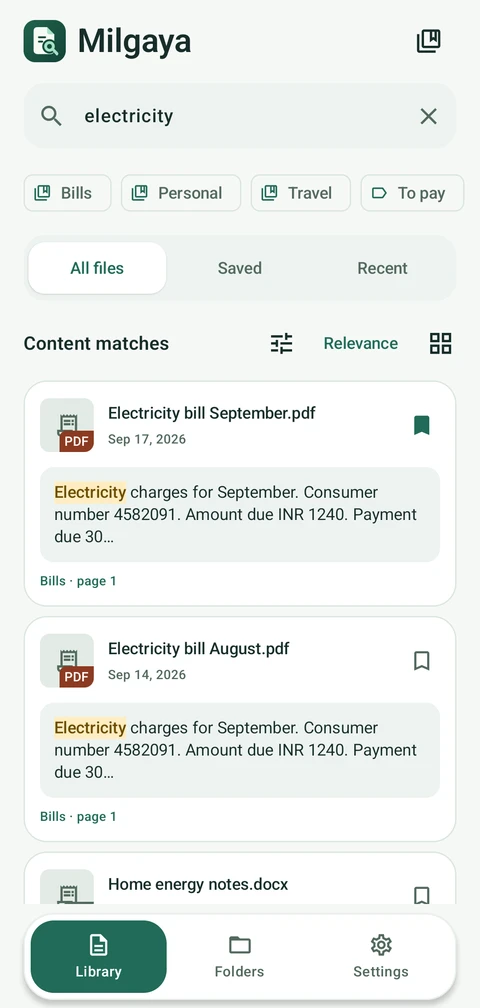
Search the words inside your documents, even when you forget the filename.
All features free · Optional ad-free Premium · Android 8.0+
Your documents are searched on your phone.
Built with your privacy in mind.
One search.
All these files.
A LITTLE MORE ORDER
A reference number. A line in an agreement. A word in Hindi. Milgaya helps you get back to the document that matters.
Narrow your search by folder, date or exact phrase. Get spelling suggestions from words in your documents.
English + Hindi keyword searchSet a reminder for a bill or important document. Tap its notification to return straight to the file.
Reminders stored on your phoneLong-press to select documents, then save, organize or share them together. Keep collections and tags your way.
Original files stay in placeSMALL TOUCHES. EVERYDAY DIFFERENCE.
A calmer place for everything you need to keep, remember, and find again.
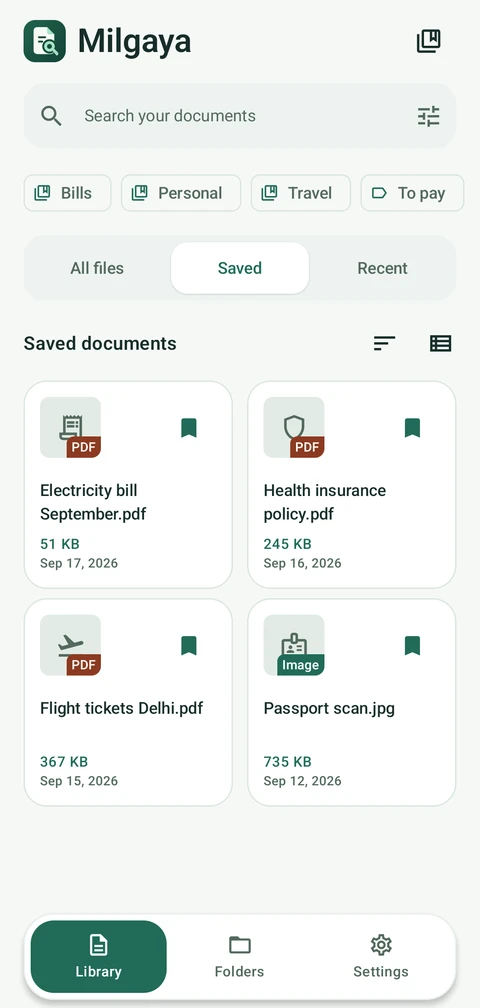
A few favorites. Always easy to find.
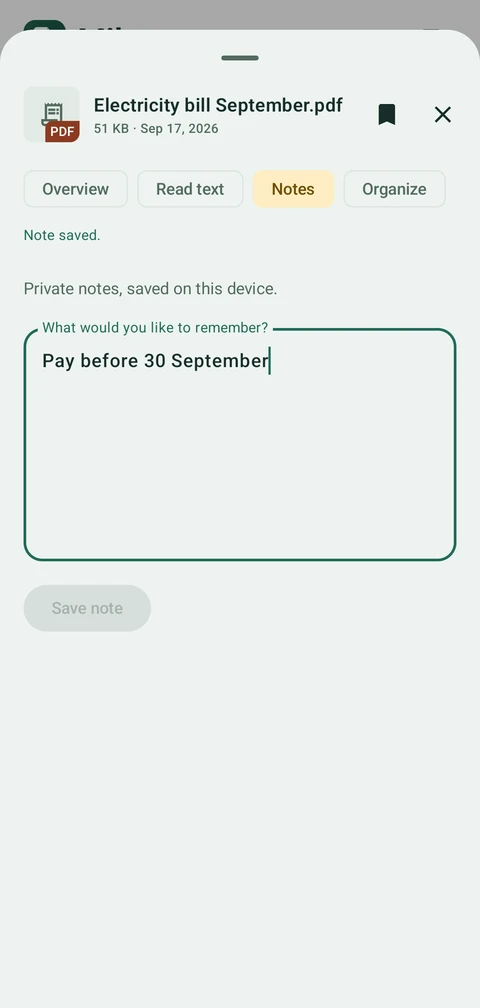
The little things you want to remember.
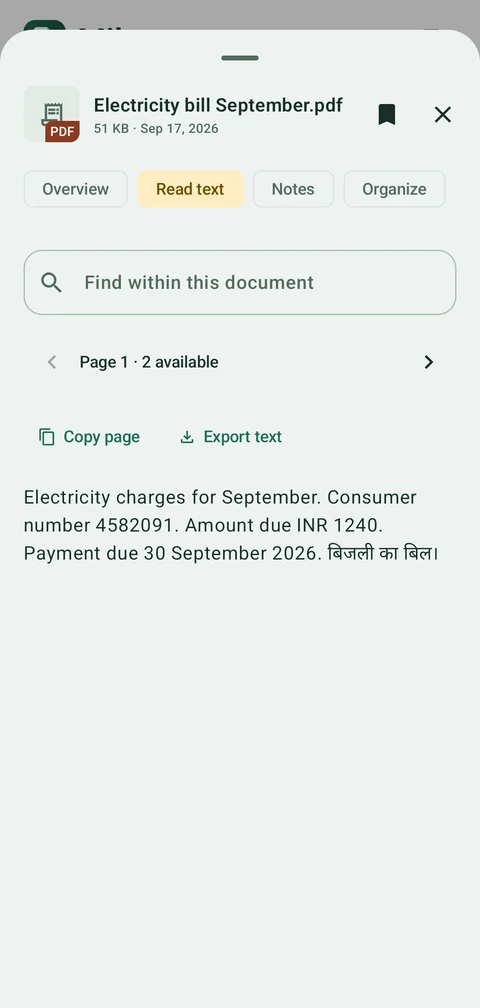
Useful words, ready to use.
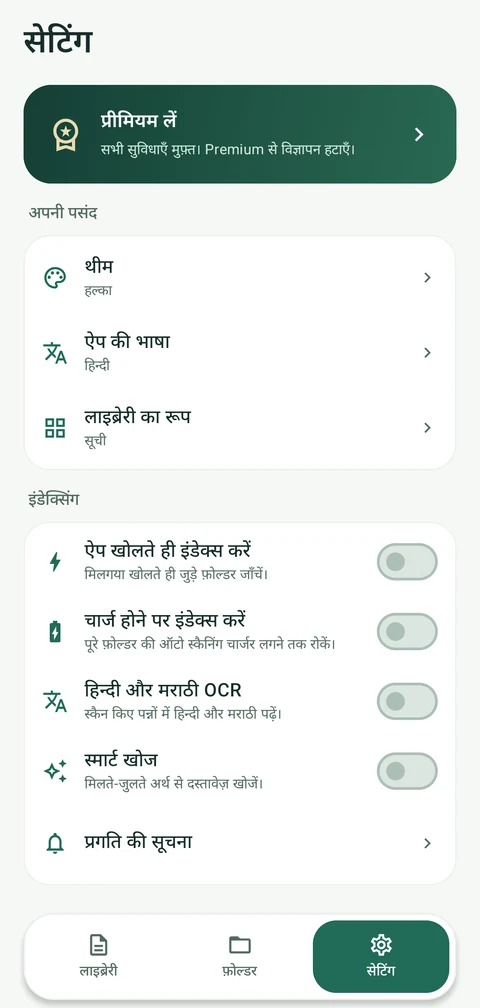
Your language. Your look. Your way.
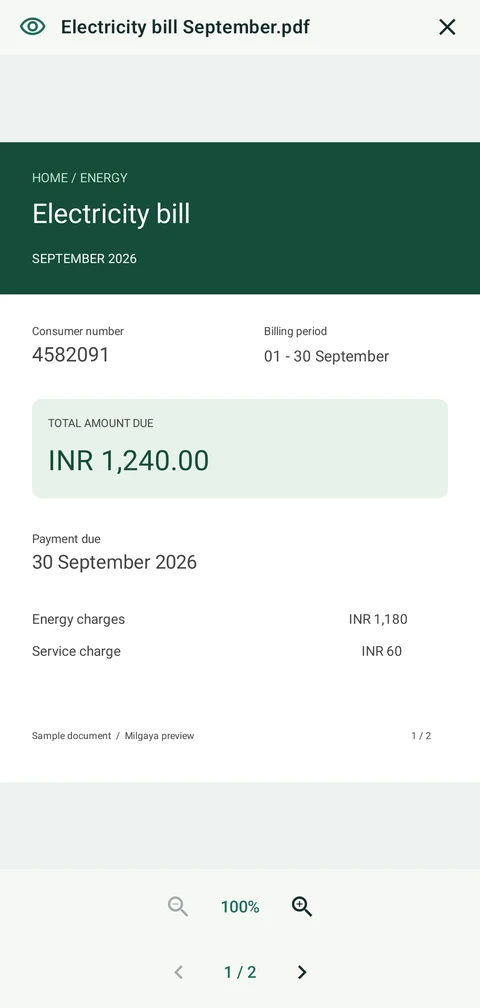
The original layout. Every little detail.
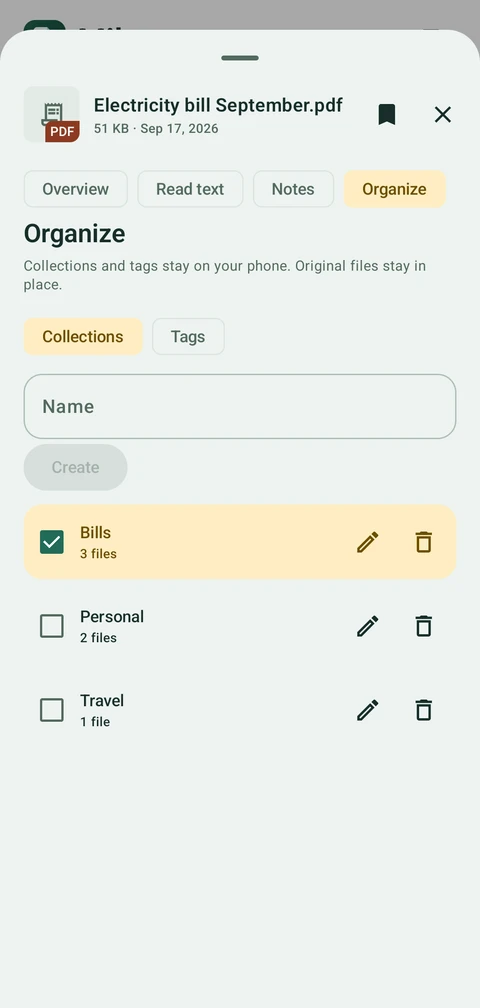
Put a little order into your everyday.
FROM LOST TO FOUND
No account to create. Connect your files once and let your library take shape.
Choose English or Hindi and try sample documents before granting access. Connect your files with Android’s folder picker when you are ready.
Text is indexed on your phone. See progress in Folders, and choose how indexing works in Settings.
Search a name, number or phrase. See the matching text, then open the original file when you need it.
PERSONAL FILES. PERSONAL SPACE.
Document recognition and search happen on your phone. Milgaya doesn’t upload your source files, notes or searches to a document server.
Google ML Kit sends technical diagnostics, usage events and installation identifiers to Google. Google AdMob uses the internet for ads and may collect identifiers, approximate location and technical data. Google Play handles purchases and ownership checks.
Read our privacy policySearch by folder, date or exact phrase, with local spelling suggestions. Select several documents to save, organize or share. Set document reminders and resume your last reading page. PDF previews add page thumbnails, rotation and indexed-text search. Choose your language during setup or try sample documents first. Cleaner screens and stability fixes complete the update. All document features remain free; Premium removes ads.
PDFs, document images, DOCX and TXT files. Milgaya extracts existing PDF text or recognizes printed text in scanned pages. Enable Hindi & Marathi OCR for Devanagari scans. Handwriting, password-protected PDFs and older Office formats such as DOC, XLS and PPT are not supported.
Document recognition, indexing and search work on your device, including offline. The recognition models are bundled with the app. Ads and consent controls use the internet. Google Play needs a connection for prices, purchases and ownership checks; Google ML Kit may send technical telemetry when connected. Read the privacy policy for details.
No. By default, Milgaya checks connected folders when you open the app, without waiting for a charger. You can change Index on app launch and Wait for charging in Settings. Folders shows progress and lets you start or stop indexing. Reading time depends on your files and phone; long PDFs can be indexed in stages, with an option to read all pages.
Yes, when the files have been saved to an accessible folder and you grant that folder. Milgaya searches those files on your phone. It does not read your chats or message databases and is not affiliated with WhatsApp or Meta.
Indexing reads source files without editing, moving or deleting them. Bookmarks, notes, collections and tags are stored separately in the app. Preview PDFs and images in their original layout, or use the extracted-text reader to find and copy words. Previews may create a temporary private cache copy; source files stay in place. Check important details against the original because OCR can make mistakes. Exported copies remain where you save them.
PDFs and images up to 256 MB. Zoom, rotate the view and browse PDF page thumbnails. Search the indexed page text and resume your last reading page. Search results can open the matching PDF page. Password-protected PDFs are not supported. For DOCX and TXT, use the extracted-text reader or open the original in another app.
Choose a date and time for a document and allow notifications. The reminder stays on your phone; tap its notification to open the document. You can edit or remove it in the app. Android battery restrictions can delay delivery, so reminders are not an exact-alarm service.
Remove a folder in Folders to remove its indexed records. Clear app storage or uninstall to delete private local app data; original files and exported copies remain. This does not delete Google’s telemetry or purchase records, or cancel a subscription. Restore Premium from the upgrade screen with the Google Play account that made the purchase. Manage subscriptions in Google Play.

IT’S THERE. FIND IT.
Available now · Android 8.0 and later